Portfolio Website
GitHub LinkThis is my personal portfolio website, built to showcase my projects, skills, and experience in a clean, professional format. The site is designed with simplicity and responsiveness in mind, making it easy for employers and collaborators to quickly learn about my work.
Goals and Motivations
- Provide a central hub for my projects, resume, and contact information.
- Create a professional online presence that reflects my style and skills.
- Prioritize performance, responsive design, and accessibility.
- Gain hands-on experience in deploying and maintaining a live website.
Features
- NodeJS Server using pm2
- Responsive website that adapts seamlessly to mobile, tablet and desktop
- Project Cards with hover effects and a horizontal scrolling flex container containing tag
- Minimal design system with consistent typography and spacing.
- Contact form that uses EmailJS to send and email with forms content to me.
- Easily accessible links to both my LinkedIn and Github profile with Github link for each of the projects.
Deployment Setup
I built my portfolio website using pure HTML and CSS for the front end. To serve the site, I set up a lightweight Node.js server, which handles delivering the static files to visitors. I manage the Node process with PM2, which ensures the server stays online, restarts automatically if it crashes, and runs in the background after reboots.
The application is deployed on a DigitalOcean droplet, where PM2 keeps the Node server running continuously. This setup gives me full control over the hosting environment while keeping the deployment simple and reliable.
To streamline updates, I configured a cron job to run every 30 minutes. This job pulls the latest code from the main branch on GitHub. With PM2’s file-watching enabled on the server directory, the application automatically reloads whenever new changes are detected.
Advantages to my Setup
- Continuous deployment with minimal manual intervention
- Automatic recovery and uptime monitoring via PM2
- A lightweight, cost-effective hosting solution on DigitalOcean
Home Page
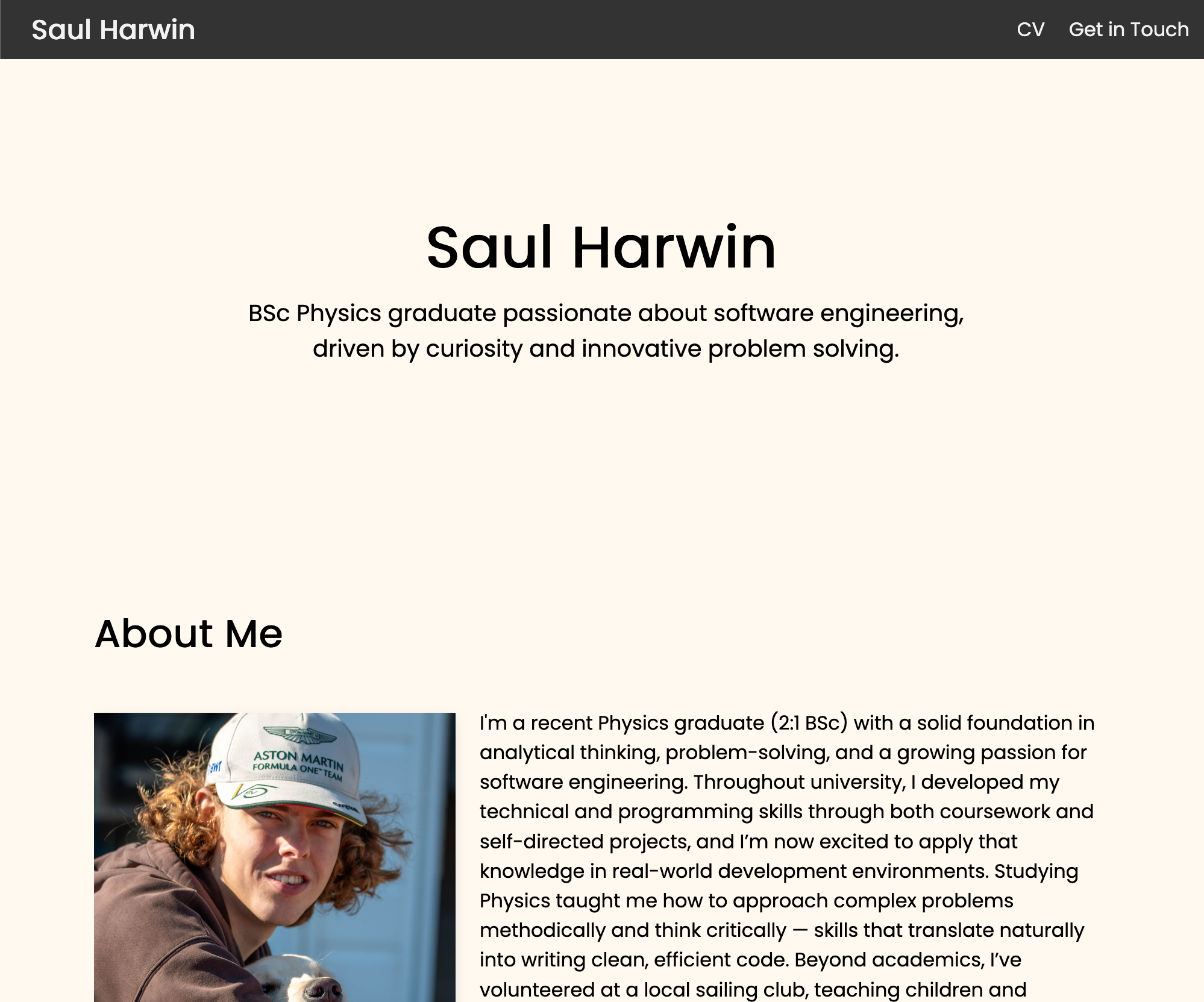
The Home page serves as the entry point to the portfolio website. It introduces visitors to who I am, highlights my skills at a glance, and provides quick access to the main sections of the site. A clean navigation bar allows users to explore projects, my CV, and contact information.
The About section provides a brief overview of my background, interests, and goals as a developer. It is kept concise, highlighting my academic and professional journey and the skills I have gained, along with a headshot, so the readers quickly understand who I am.
Projects Section
This section presents the projects I have completed in an visually accesable form and allows the reader to quickly identify the skills gained from the project with the tags bar.

Project Page
Each project page includes tags, as found on the project cards, which highlight the key skills and technologies used, a link to its GitHub page, and a detailed description of the project, including its goals and motivations.

Contacts Section
Allows the user to quickly get in touch with me through my contact form which uses EmailJS to send and email from my email to me with the froms contents.

